
Analysis and Optimization
User Activity Tracker Pro
Learn how visitors who accept tracking navigate your WordPress site.View real-time activity, session journeys, popular pages, and WooCommerce interactions from your own dashboard.
An active license is required to record activity and receive updates.Automatic renewal
Discover User Activity Tracker Pro
USER ACTIVITY TRACKER PRO · WORDPRESS
Understand your visitors' journey, from the first page to the cart.
See what happens on your site when a visitor opts in to tracking: pages viewed, actions recorded, and – if you use WooCommerce – the status of their cart.All from a dashboard within WordPress.
Real-time activity · Pageviews per session · Visitor consent
See what helps you understand your website.
User Activity Tracker Pro collects the activity of visitors who have given their consent.The dashboard shows recent sessions and active visitors, their current page, and a timeline of events per session.It also provides figures for page views, sessions, average duration, events, and popular pages.
When the visitor logs in, you can identify their WordPress account.In WooCommerce stores, the cart view includes products with images and links, quantities, subtotal, and currency. The checkout and order received pages are distinguished in the flow.
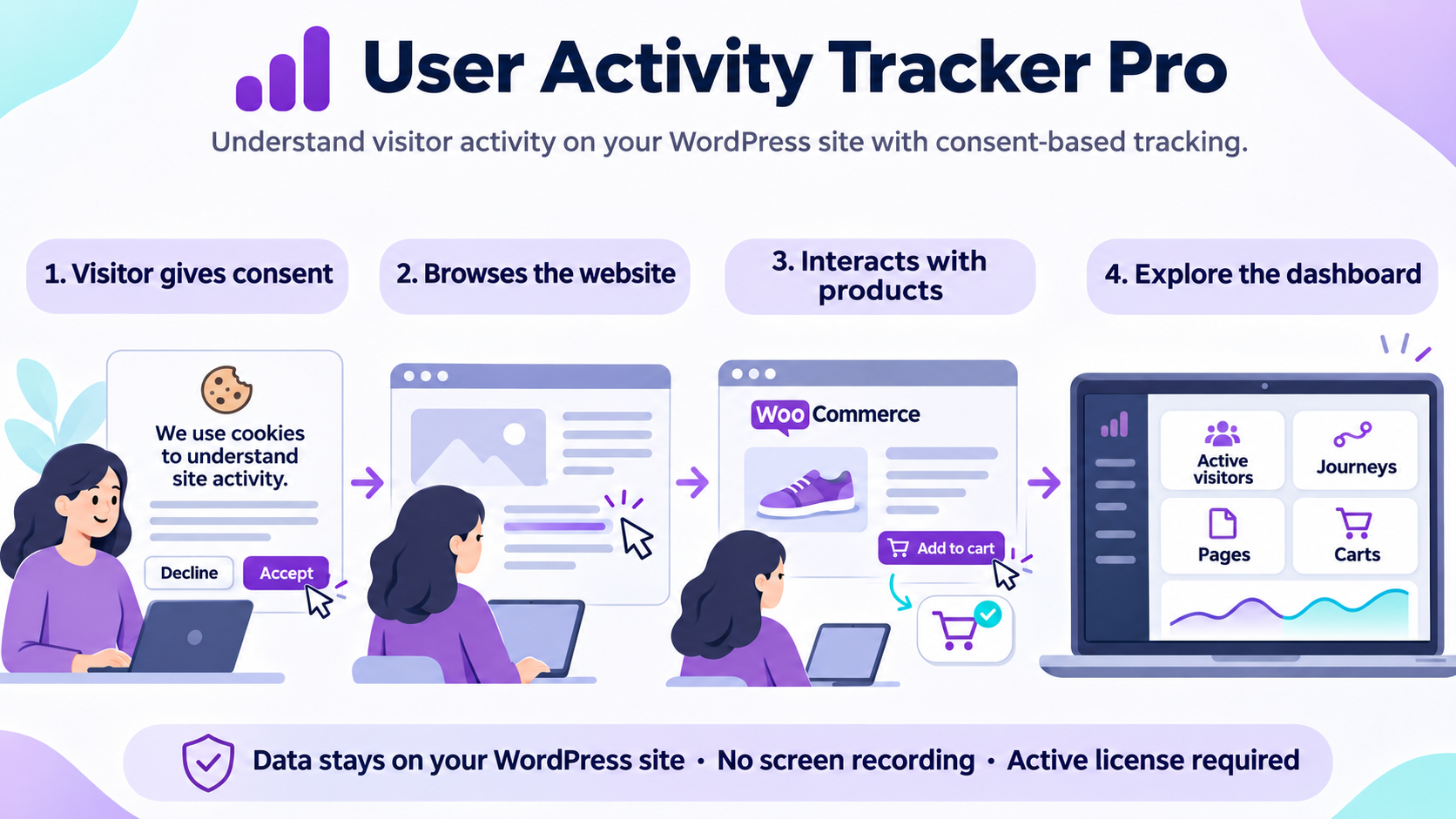
From activity to a clearer vision
Right now
Check active visitors, their current page, and the status of each session.The dashboard is updated regularly.
02 · Tour
Open a session to review page views, clicks, scroll depth, searches, forms, and other events that have been recorded.
03. STORE
View the content viewed in the WooCommerce cart and recognize when the visitor enters the checkout or reaches the order received page.
Install and use
- Install User Activity Tracker Pro on your WordPress.
- Enter and activate your license in GMS Plugins → User Activity Tracker.
- Enable the built-in consent notice or connect your consent manager.
- Set the log retention period from 1 to 365 days (30 days by default).
- Check the dashboard when visitors opt in to tracking and browse the site.
Privacy and clear boundaries
Tracking only begins when the visitor accepts.The integrated notice allows you to accept or reject, and the plugin can connect to another consent manager.Events and carts are stored in the site's WordPress installation.Screens are not recorded, and content entered in forms, passwords, or IP addresses is not intentionally saved.
To activate the license and authorize updates, the plugin communicates the key, an installation identifier, and the site URL to GMS Creativo.Browsing logs are not sent to the license server.The plugin settings do not replace the privacy notice or the legal assessment that applies to each website.
Learn more about the journey in your WordPress.
An active license enables tracking and updates.Purchase the license with a one-time payment and renew it manually when you need to.
What you can do with this plugin
Visitors in real time
View the current page, activity status, and shopping cart for sessions with consent.
Pageviews per session
Review page views, clicks, scrolling, and other recorded events in chronological order.
Registered
Links the session to the WordPress account when the visitor is logged in.
WooCommerce info
View products, quantities, subtotal, and currency in the cart, as well as checkout and purchase events.
Report panel
View sessions, page views, events, average duration, and popular pages.
Consent and retention
Displays an acceptance or rejection notice, allows you to integrate another manager, and sets data retention from 1 to 365 days.
Data in your facility
Activity logs are stored in your WordPress; there is no screen recording.
License and Updates
Activate the key in the dashboard itself and receive new versions through the WordPress update system.
Requirements and compatibility
WordPress 6.2 or higher and PHP 7.4 or higher.WooCommerce is required to view product and cart data.Requires an active GMS Creativo license and the visitor's consent to record activity.The REST API and WordPress scheduled tasks should work properly.The information collected depends on consent, the browser, and the site settings.