
Layout & Content Related
Product Viewers for WooCommerce
Show the actual number of people viewing the same WooCommerce product right now. Choose where the count appears, select one of five styles, and customize the icon and text. Free, with a lifetime license for updates.
This product is completely free.
Discover Product Viewers for WooCommerce
PRODUCT VIEWERS · FREE WOOCOMMERCE PLUGIN
Show who is viewing the same product right now.
Product Viewers adds a compact live visitor count to WooCommerce product pages. It counts active browser sessions viewing that product, including the current visitor, and updates the message beneath the Add to cart button.
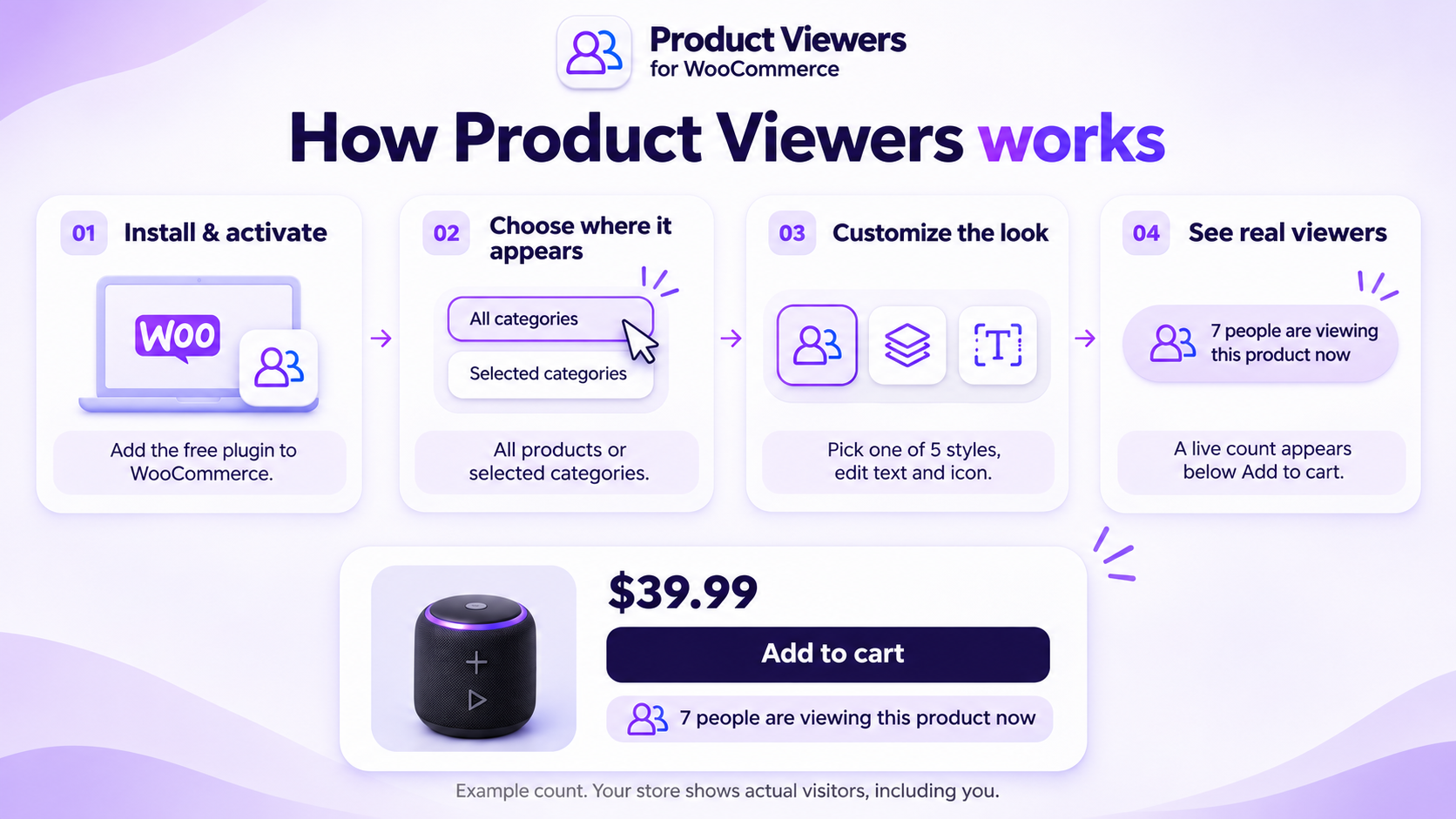
A real count for the product being viewed.
When someone opens a product page, their browser reports activity for that specific product. The counter refreshes while the page remains active and drops inactive sessions after a short period. If you are the only visitor, you see one viewer. Separate visits to other products do not increase this product's count.
The number represents active browser sessions, not named individuals. Browser settings, caching, connection quality and inactive tabs can affect it. The plugin does not invent viewers or display a random popularity figure.
MAKE IT YOUR OWN
Designed for your product page.
Five styles
Choose Minimal, Pill, Soft, Outline or Dark. The live preview follows you as you scroll through the settings.
Your words and icon
Edit singular and plural messages with the {count} placeholder. Choose an SVG profile icon and set the icon and text colors.
Category rules
Display the count across all categories, limit it to selected categories, or turn it off until you need it.
Flexible placement
The automatic placement targets WooCommerce purchase forms. For a custom Elementor or theme layout, place the viewer widget directly below your Add to cart button using its shortcode from the plugin settings.
Get started in minutes.
- Add this free plugin to your cart and download the ZIP from your order.
- Upload and activate Product Viewers on a WooCommerce store.
- Open GMS Plugins → Product Viewers and choose the categories, template, icon and message.
- Visit a product page to see the count below Add to cart. The current visitor is included.
Exclusive premium plugin. Completely free.
Free lifetime license for native updates, with no annual fee or renewal. Requires WordPress, WooCommerce and a working REST API. The product price shown in the illustrative screenshots is an example, not the price of this plugin.
What you can do with this plugin
Real visitors, live count
A lightweight product-specific presence check counts active browser sessions, including the current visitor. No invented popularity numbers.
Placed below Add to cart
Appears below the purchase button on supported WooCommerce product layouts, with a shortcode for custom layouts.
Five visual styles
Choose Minimal, Pill, Soft, Outline or Dark to suit your storefront.
Editable text and icons
Set your own singular and plural wording with {count}, choose an SVG icon, and adjust its size and colors.
Category controls
Show the counter on all product categories, selected categories or disable it altogether.
Lifetime license
A free key in My Licenses enables native updates without renewals.
Requirements and compatibility
WordPress 6.5 or later, WooCommerce 9.0 or later and PHP 7.4 or later. Requires product pages with a working WooCommerce Add to cart form, plus access to the WordPress REST API for live updates. The count tracks active browser sessions for each product; it is not a count of identified people. Browser restrictions, caching, network latency and inactive tabs can affect the number displayed.